
1. Overview
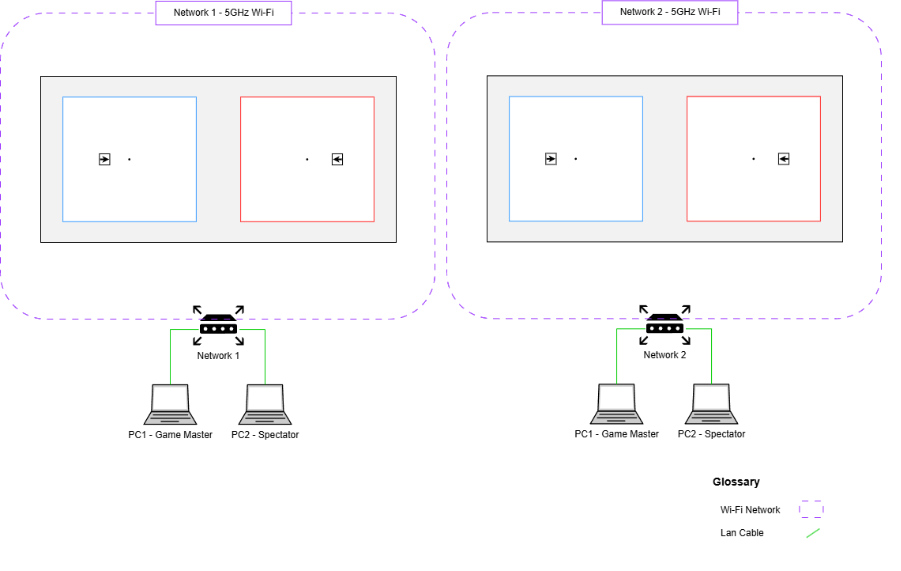
The network is at the center of technology communication and links all the different technologies used on the play area.
Network quality is important to ensure good and stable communication between the PCs (Game Master and Spectator) and VR Headsets.
2. Router Specifications
Each play area should have a dedicated router with the following specifications or higher:
- Wi-Fi Standard: Wi-Fi 6
- Minimum Speeds:
- 5 GHz: 1801 Mbps
- 2.4 GHz: 574 Mbps
- Frequency Bands: Dual band (5GHz and 2.4 GHz)
- Ports:
- 1 x WAN Port
- 4 x LAN Ports
3. Router Placement
- Place routers close to the respective fields of play.
- Do not place routers directly on the floor; elevate them on a table of stand when possible.
- Avoid placing routers too close to one another to minimise wireless interference.
- Ensure routers are not blocked by large objects or structures.
4. Router Configuration
Each router should be configured as follows –
a. Each network must have a unique SSID and be properly separated and isolated from other networks to ensure optimal performance and effective network segmentation.
b. To transmit a 5 GHz signal ONLY.
c. Channel width set to 20 MHz.
d. 5 GHz channel set to any unused channel.
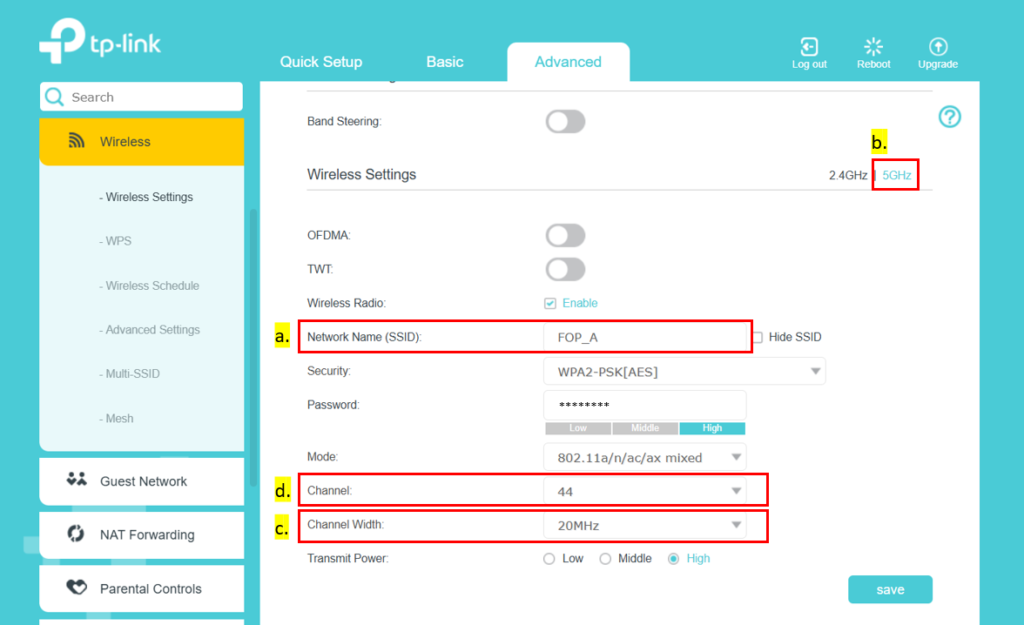
Example on tp-link router set-up
- Each router should provide an internet connection via a hybrid network – wired (LAN) and wireless.
- Internet speed of 25 Mbps or higher.